Log in from anywhere — or keep it on your PC.
DARITHMA Cloud runs in your browser on Windows, macOS or Linux, hosted on EU servers in Germany with nightly encrypted backups behind them. Prefer your books never leave the building? DARITHMA Desktop installs on your own Windows PC and works fully offline.
- Cloud: sign up, log in, work from any computer
- Cloud: nothing to install — updates applied for you
- Cloud: hosted in Germany, with a standby server at a second provider
- Desktop: installed on Windows 10/11, runs with no internet
- Desktop: data in a local database you fully control
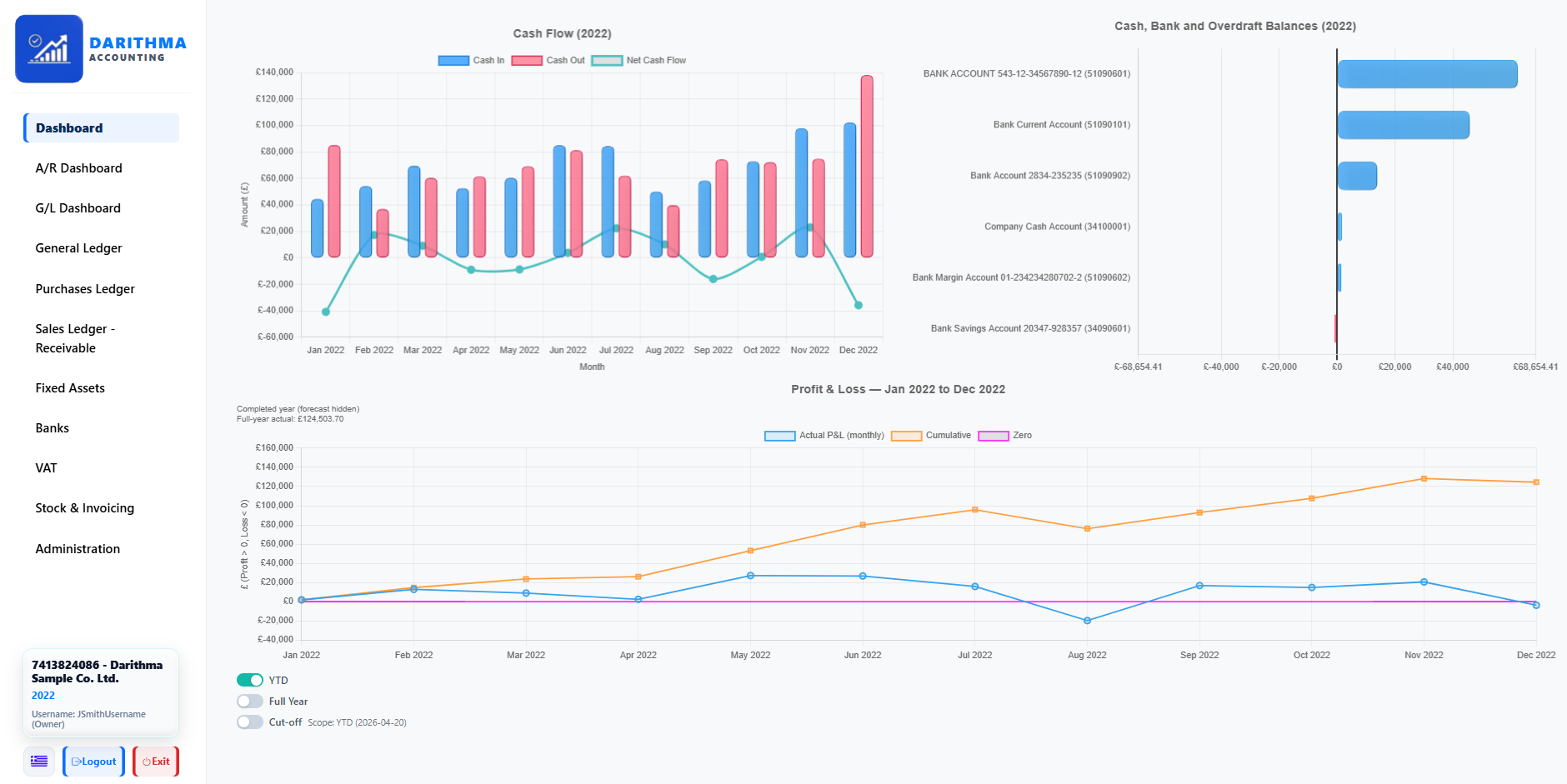
A full double-entry engine.
Under the simple screens sits a serious general ledger. Every action posts balanced debits and credits, producing the statements your accountant actually needs — without you touching a single journal.
- Trial Balance, Profit & Loss and Balance Sheet on demand
- Every transaction posts balanced debits and credits
- Outputs your accountant can rely on at year-end
- Drill from any figure down to the entries behind it
- No journals or account codes for you to memorise
Automatic postings from simple screens.
You pick a task — a cash sale, a supplier payment, an electricity bill — and DARITHMA works out the correct accounting behind the scenes. No blank journals, no guessing which account to debit or credit.
- Task-based menus for sales, purchases, expenses, payments, receipts
- Correct accounting logic applied in the background
- Plain-language actions, not blank journal screens
- VAT handled automatically as you post
- Consistent, error-resistant entries every time
Invoices, credit notes and who owes you.
Raise cash or credit invoices, issue credit notes, and see exactly who still owes you money — all in a few clicks, with the accounting handled automatically behind each document.
- Create cash and credit invoices in seconds
- Issue credit notes when you need to
- See outstanding customer balances instantly
- Branded, professional-looking documents
- Every invoice posts to the ledger automatically
Purchases of goods and materials.
Record cash or credit purchases of goods and materials — whether for a job or for resale — and DARITHMA posts them to the right purchases, stock and supplier accounts without you working out the entries.
- Cash and credit purchases of goods and materials
- For work in progress or for resale as stock
- Correct posting to purchases, stock and suppliers
- Supplier balances kept up to date automatically
- VAT on purchases captured for your return
Every expense in the right place.
Rent, wages, electricity, fuel, repairs and everything in between — record each one in plain language and DARITHMA posts it to the correct expense category, ready for your reports and your accountant.
- Rent, wages, electricity, fuel, repairs and more
- Posted to the correct expense category automatically
- Pay from bank or cash in a couple of clicks
- VAT on expenses captured where it applies
- Clean expense breakdown in your P&L
VAT tracked on everything.
DARITHMA applies the correct VAT on sales, purchases and expenses as you go, then gives you clear summaries to hand your accountant before the return is filed — no manual adding up.
- Correct VAT on sales, purchases and expenses
- Rates applied automatically as you post
- Clear VAT summaries ready for your accountant
- EU trade and imports understood
- Built on the invoice-credit model used by VAT and GST countries
- A submission-ready picture at return time
Bank and cash, fully tracked.
Record money in and out, transfers between accounts, bank charges and interest — with reconciliation-ready records so your books and your statements always agree.
- Money in and out across every account
- Transfers between bank and cash
- Bank charges and interest captured
- Reconciliation-ready records
- Balances that match your real statements
Run more than one company.
Keep the books for several companies (based on plan) from one Cloud account or one Desktop licence — each company kept completely separate. Add a company whenever you wish, with a few mouse clicks, up to your plan's limit.
- Access multiple companies (based on plan) from one account or licence
- Each company kept completely separate
- Switch between companies cleanly and safely
- No mixing of data between businesses
- Desktop: each company in its own database, with separate restoration slots
Your data, protected either way.
In DARITHMA Cloud your books live on our server in Germany, with an encrypted backup every night and a standby server at a second provider. With DARITHMA Desktop you create and restore backups yourself — to an external drive or storage you control.
- Cloud: main server and standby server, both in Germany
- Cloud: nothing stored on your computer — log in from any other one
- Desktop: create backups whenever you want, on your schedule
- Desktop: back up to an external drive or storage you control
- Desktop: move to a new PC and restore in minutes